git clone https://github.com/ontech7/claude-omni-rc && cd claude-omni-rc && ./install.sh
paste this in terminal — the installer guides you through the rest, or
install manually
…or let your AI agent set it all up:
Set up claude-omni-rc with the Telegram bot and arm remote control
paste this to your AI agent, or read
AI-GUIDE.md
for what it does step by step
How it works
Claude Code's own /remote-control is disabled the moment
your models don't come from Anthropic. This is a local daemon plus a
Telegram bot that replaces it — no Anthropic account, no open ports.
1
Run ./install.sh
The guided installer checks prerequisites, walks you through your
bot token, who may control it and where headless sessions may run, then
registers the background daemon.
2
Pair & arm
Open your bot on Telegram, send /start <code>,
then /rc on. While disarmed the daemon does nothing at
all.
3
Keep going from anywhere
Continue the session you left running — a build, a migration, a
long review — switch between sessions, and approve permissions, all
from your phone. Headless sessions work with any model that runs
through the Claude Code CLI: Ollama, a proxy, or Claude itself.
Telegram
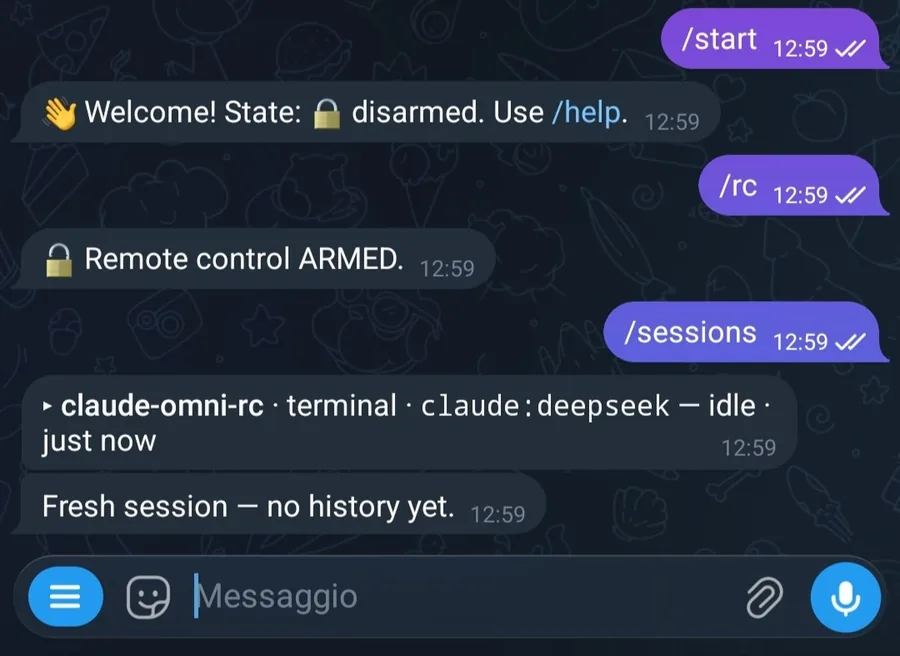
Pair, then arm./start authorises the
chat, /rc flips the switch, /sessions picks
the session.
Telegram
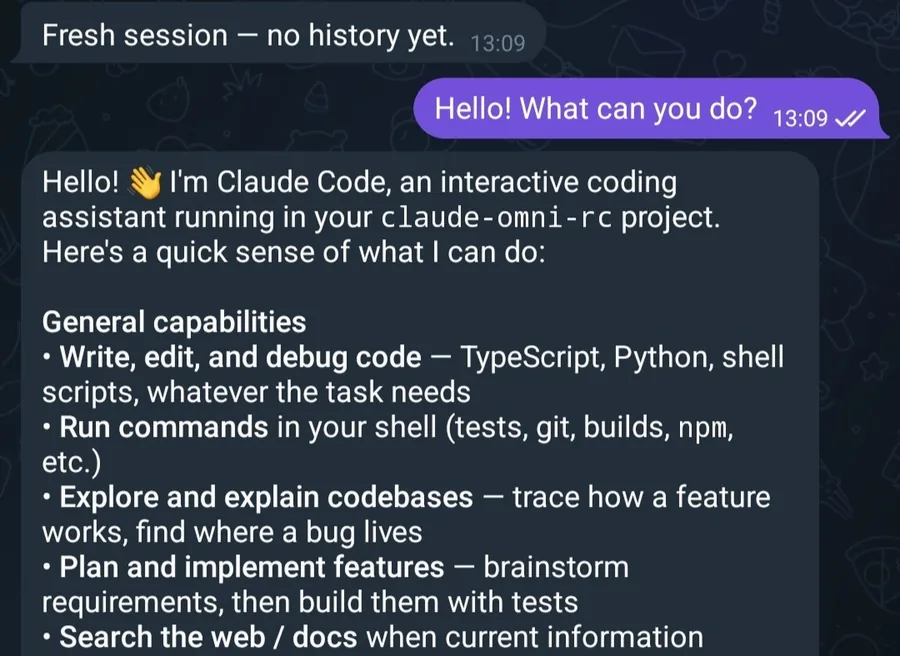
Then just type. Plain text goes to the active
session — a real turn on your machine, answered back in the
chat.
Ongoing sessions stream as chat
A session running in tmux mirrors into Telegram as a conversation —
assistant messages, tool calls summarised in plain language and grouped
into one ⚙️ bubble per work burst, and ❓
multiple-choice questions you answer with the option number. No
screen-scraping.
Telegram
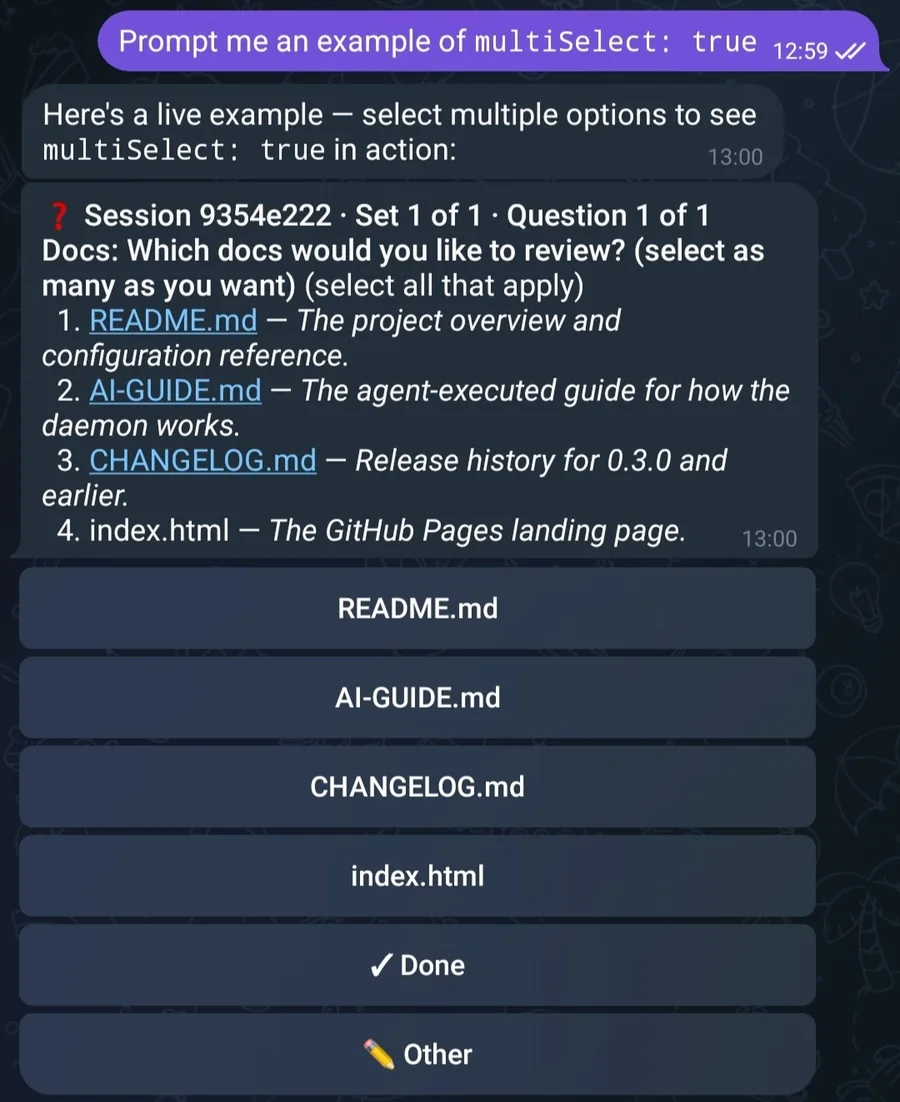
Questions become buttons. One question at a time,
one button per option — plus ✓ Done for multi-select.
Files you send are saved to ~/.claude-omni-rc/inbox/ and forwarded
to the session as a path the model can read. Permissions — for headless
and terminal sessions alike — arrive as ✓ Approve /
✗ Reject buttons; unanswered requests expire into a deny.
Headless sessions use the provider you configure in .env
(Ollama by default), and /new --model <name> picks the
model for a single session.
Telegram
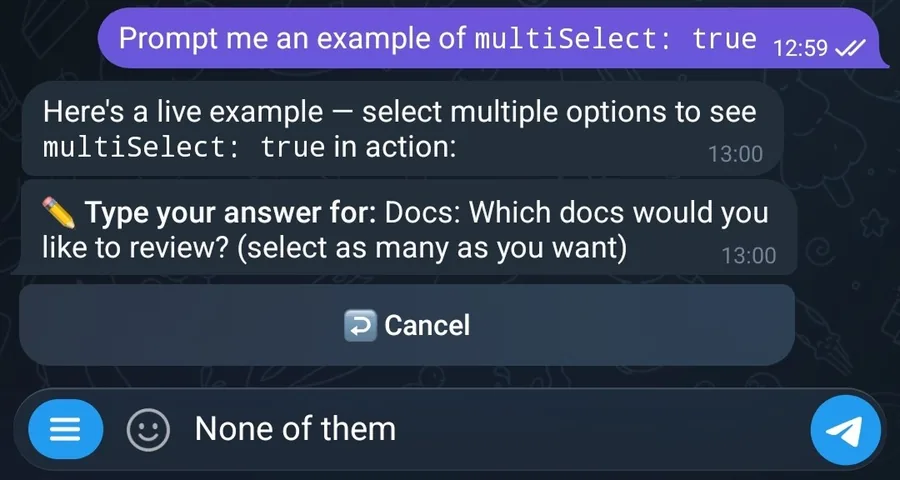
None of the options fit? ✏️ Other takes free text,
and Cancel is always there — a session never parks on a dialog you
can't answer.
Terminal, tmux, or headless
Every session — however it starts, whatever model backs it — streams to
Telegram as a chat. What changes is how much you can steer it, and which
provider answers.
📟 In a terminal, no tmux
Stream-only. Start claude normally and the
SessionStart hook registers it: its transcript mirrors to
Telegram as a chat. But outside tmux it's read-only — you can follow it,
not steer it (no input, no /view). The hook reminds you to
restart it with omni-rc for full control.
🖥️ Inside tmux — omni-rc <name>
Full remote control. The recommended way to run a session
you'll keep using. omni-rc opens a claude:<name>
tmux session the daemon tracks: messages stream as a chat, your replies
are injected 1:1, permissions arrive as ✓/✗ buttons, ❓
questions answer by tapping an option, and /view grabs the
raw screen.
🤖 Headless — /new from Telegram
No terminal at all. The daemon owns the session and drives it
through the Claude Agent SDK, in the background on the same machine. It
asks before every tool call by default;
/new --auto runs it unattended. Headless sessions run in
WORKSPACE_DIRS, which you set at install time — there is no
fallback to your home directory.
Any model that runs through the Claude Code CLI
Ollama, a proxy, or Anthropic — one binary, same daemon. The provider follows the model.
Non-Anthropic — Ollama by default
Local models (and local proxies) need no Anthropic account.
omni-rc my-project — no -m: uses DEFAULT_MODEL from .env, Ollama by default
/new <prompt> — headless uses the .env provider, Ollama by default
per-session: omni-rc … -m deepseek-v4-flash:cloud or /new --model …
Anthropic
Anthropic models — claude-* — use your usual Claude Code
auth in terminal sessions, or the provider set in .env for
headless.
omni-rc my-project -m claude-opus-5 — a claude-* model means Anthropic
headless on Anthropic: set ANTHROPIC_BASE_URL (+ ANTHROPIC_AUTH_TOKEN or ANTHROPIC_API_KEY) in .env
a proxy works the same way, via ANTHROPIC_BASE_URL
The rule: a model starting with claude- runs on Anthropic;
any other model runs on Ollama; an explicit ANTHROPIC_BASE_URL
in .env (different from Ollama) overrides both. Terminal and
headless sessions share the same provider logic.
Telegram
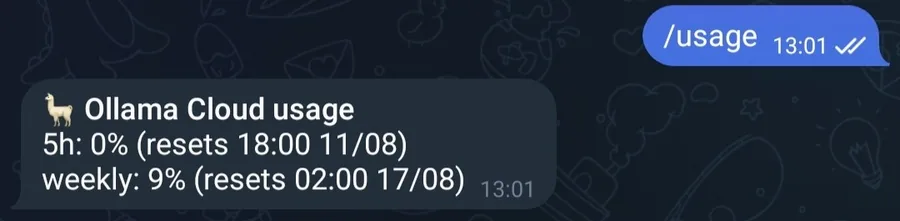
/usage follows the same rule. The 5-hour
and weekly windows of whichever provider the active session uses —
Anthropic through the Agent SDK, anything else through
ollama-usage.